
5 Best Gun Apps for iPhone – Ultimate Guide (2026)
Ever wished your iPhone could double as a range coach, armorer, and ballistics brain all at once? Mobile gun apps today do just that, turning a pocket device into a practical companion for practice, maintenance, and planning. They’re smarter and more realistic than most people expect.
This quick guide walks you through five top iPhone gun apps, each focused on a distinct need: immersive simulation, inventory and upkeep, trajectory calculations, hands-on disassembly training, and advanced environmental corrections. You’ll get a clear sense of what each app does best and why that matters on the range or in the workshop.
Expect concise breakdowns of core features, real-world use cases, and balanced pros and cons to help you weigh tradeoffs. We highlight usability, accuracy, and the kinds of shooters who benefit most so you don’t waste time on tools that don’t fit your routine.
Whether you’re dialing in long-range drops, logging maintenance, or sharpening trigger control, this guide helps you match apps to goals and experience level. Read on to make a confident pick that complements your gear, skillset, and the way you train.
iSnipe iPhone App
1. iGun Pro App for iPhone

iGun Pro iPhone App
Realistic firearm simulator with lifelike sounds, recoil effects, and customizable weapons for immersive entertainment.
iGun Pro App for iPhone delivers over 420 realistic gun simulations with firing mechanics, customization, and historical firearm data. The experience is enhanced by immersive effects like motion blur, smoke, ultra-realistic recoil, slow-motion, and adjustable settings. For players who want to train trigger control and muscle memory without handling real hardware, this app provides a believable virtual shooting environment.
You can use it to relax at home or in public, enjoying immersive virtual shooting sessions. It’s a handy reset between matches or a way to study weapon behavior during downtime. Some users reported police requested shutdown due to loud simulated sounds; no further incidents reported.
Ideal buyers are gun enthusiasts, gamers, and casual simulators seeking a large collection for daily fun without real hardware. The massive library enables quick switching between guns, so you can explore multiple weapon types in minutes and keep practice varied.
Features like custom skins and gun-wall display for personalization add a visual loadout layer. Slow-motion and adjustable settings help you learn weapon mechanics with controlled timing. Lifelike recoil and firing feel that supports muscle-memory simulation let your drills translate more easily to on-range performance.
Whether you’re chasing pure entertainment or want a robust virtual toolbox for range prep, iGun Pro App for iPhone stands out as a versatile option in the gun-app space. It balances breadth of content with approachable play, making it a strong pick for builders and sharpshooters alike.
Pros
- Lifelike recoil and firing feel that supports muscle-memory simulation.
- Custom skins and gun-wall display for personalization.
- Slow-motion and adjustable settings for learning weapon mechanics.
- Massive library enables quick switching between guns.
Cons
- Infrequent updates can lead to stale content over time.
- Loud audio effects may attract unwanted attention in public.
2. Gun Log SPC App for iPhone
Accurate external ballistics calculator offering trajectory, wind correction, and range estimations for precision shooters and reloaders.
Gun Log SPC App for iPhone focuses on detailed firearm management, consolidating essential data in one accessible place. It covers purchase logs, round counts, range sessions, cleaning schedules, and accessories, making history easy to review across multiple guns. This level of organization helps you plan maintenance, anticipate failures, and schedule upgrades with confidence.
Owners log maintenance and shooting events intuitively, building a running history for every firearm you own and use. The backup feature is practical for accessing data on computers during range prep or inventory checks. You can quickly pull up a full history, aiding decisions on cleaning, replacements, and gear refresh cycles.
Ideal buyers are firearm owners who need structured, accessible record-keeping for maintenance and performance analysis—whether you’re a casual shooter, a competitor, or a club manager. The app tracks how often you shoot, when you last cleaned, and what accessories are on hand. It’s especially useful for multi-gun households or clubs where documentation matters during audits or range days.
Pros include Accurate round-count and session tracking to spot wear patterns. The intuitive interface speeds up post-shooting logging, keeping notes quick and reliable. Cleaning reminders support reliability during frequent use, and accessory logging organizes gear for quick assembly.
Seamless backups prevent data loss while traveling, so your records stay intact across ranges and devices. This makes it easy to review and transfer logs when you switch ranges or gear. Overall, Gun Log SPC App for iPhone delivers practical tools for maintaining equipment and tracking performance over time.
Pros
- Accurate round-count and session tracking to spot wear patterns.
- Intuitive interface speeds up post-shooting logging.
- Cleaning reminders support reliability during frequent use.
- Accessory logging organizes gear for quick assembly.
Cons
- Setup can be time-consuming and overkill for users with few guns.
- Relies on text entry and lacks visual aids for visual learners.
3. Ballistic AE App for iPhone

Ballistic AE iPhone App
Interactive step-by-step teardown and reassembly guide to master maintenance, parts identification, and safe handling techniques.
Ballistic AE iPhone App brings advanced ballistics calculations to your pocket. It offers custom load inputs, weather integration, trajectory charts, and mil-dot displays to help you dial in long-range performance. The interface emphasizes clean data visualization, so you can quickly translate numbers into drop estimates.
In the field, users create range reports and download local weather for on-site adjustments during hunts or competitions. Ideal buyers are experienced shooters and reloaders needing detailed trajectory data for varying environments. This combination of data and workflow is designed to keep your range prep organized and efficient.
Auto-pulls weather data for accurate doping at the range helps you adjust for wind, temperature, humidity, and barometric pressure on the fly. Custom load tracking refines ammo performance across sessions, so you can compare how different loads perform under the same environmental conditions and across multiple outings. Range reports visualize group data to diagnose shooting flaws.
Mil-dot HUD simulates scope use for planning and cross-checks your sight picture against calculated holds. Trajectory charts predict drops precisely for long-range practice, giving you a clear path from data to on-target performance.
Designed for experienced shooters and reloaders, Ballistic AE iPhone App provides a deep, data-driven toolkit for field prep and range work, translating numbers into actionable practice plans. In the end, it helps you translate numbers into real-world accuracy.
Pros
- Auto-pulls weather data for accurate doping at the range.
- Custom load tracking refines ammo performance across sessions.
- Range reports visualize group data to diagnose shooting flaws.
- Mil-dot HUD simulates scope use for planning.
Cons
- Steep learning curve can overwhelm casual users.
- Advanced features may be underutilized by basic shooters.
4. Gun Disassembly 2 App for iPhone
Gun Disassembly 2 iPhone App
Advanced long-range shooting trainer with environmental adjustments, scope tools, and realistic ballistics to improve accuracy.
Gun Disassembly 2 iPhone App offers 3D models of 133 firearms, giving you field-strip, detail-strip, X-ray views, and real-time firing and reloading animations, all rendered with smooth motion to mirror the tactile feedback you expect from the bench. This combo creates a hands-on lab where you can study how parts interact without touching a real gun, letting you analyze fitment, lubrication points, and take-down procedures at your own pace. The visuals, especially the X-ray and real-time sequences, help you spot fitment issues and practice clean-and-lube steps with confidence, which translates into smoother field maintenance and quicker troubleshooting.
In the field, I use it to learn disassembly sequences before touching the real mechanism at the bench, so when I pull the trigger on the range I’m confident I can reassemble any quick-fix. The slow-motion reloading sequences let you build speed and accuracy for tricky parts like pins, which translates into faster field work while preserving precision. It’s a go-to reference in workshops and ranges for reassembly practice, a trusted companion when you’re prepping before a real maintenance session.
Ideal buyers are tinkerers, mechanics, and learners wanting hands-on firearm knowledge, and the app’s library supports a broad range of gun types. I’m a frequent user because it keeps the mechanics fresh in my mind during long practice sessions and helps me explain steps to teammates. The app’s 133-firearm coverage means multi-firearm owners can study a diverse set without juggling physical tools.
Overall, Gun Disassembly 2 iPhone App stands out for anyone who wants hands-on firearm knowledge with a safe, digital lab you can take anywhere. The 3D models, animation, and multi-gun coverage help you build confident reassembly and maintenance skills before you ever touch a real weapon. If you want a focused, practical disassembly trainer that travels with you, this app delivers.
Pros
- Step-by-step strips match real guns and speed up cleaning without mistakes.
- X-ray mode reveals hidden mechanisms for troubleshooting jams.
- Slow-motion reloading builds practical speed and familiarity.
- Covers diverse guns useful for multi-firearm owners.
Cons
- Additional guns require unlocks, limiting free access.
- 3D models may glitch on older devices during extended sessions.
5. iSnipe App for iPhone
iSnipe iPhone App
Portable practice companion offering target scenarios, scoring, and progress tracking to sharpen marksmanship anytime.
iSnipe App for iPhone delivers military-grade 3-DOF ballistics for over 150 calibers. It accounts for wind, Coriolis, spin drift, atmosphere, pitch, and yaw corrections to keep shots on target.
In the field, it’s used for precise comes-ups on factory loads. Forum users report reliability across common ammo and quick field solutions during hunts or matches.
Ideal buyers are precision shooters and snipers needing advanced environmental corrections. This app is built to meet those demands with a robust dataset for real-world conditions.
An extensive caliber library covers factory loads for instant field dope. Coriolis corrections are designed for extreme ranges and competitions.
Real-time computations enable adjustments on the fly without scopes. Yaw and pitch corrections refine trajectories from irregular positions.
Fast calculations translate complex wind and drift data into actionable dope. The interface is optimized for field use without sacrificing accuracy.
Experienced shooters will appreciate the breadth of calibers and the precision corrections offered. The tool supports quick-doping and range planning for hunts and matches.
For long-range practice and competitive shooting, iSnipe provides field-ready solutions you can trust. It’s a dedicated precision tool rather than a general shooter app.
iSnipe App for iPhone is a focused tool built for precision. It excels in wind, drift, and advanced ballistic calculations across a wide caliber range.
Pros
- Accurate wind and drift handling for improved first-shot hits.
- Extensive caliber library covers factory loads for instant field doping.
- Coriolis corrections for extreme ranges and competitions.
- Fast computations enable real-time adjustments without scopes.
Cons
- Apple-only availability excludes Android companions.
- Complexity can slow novices during high-pressure moments.
What to Look For in Gun Apps
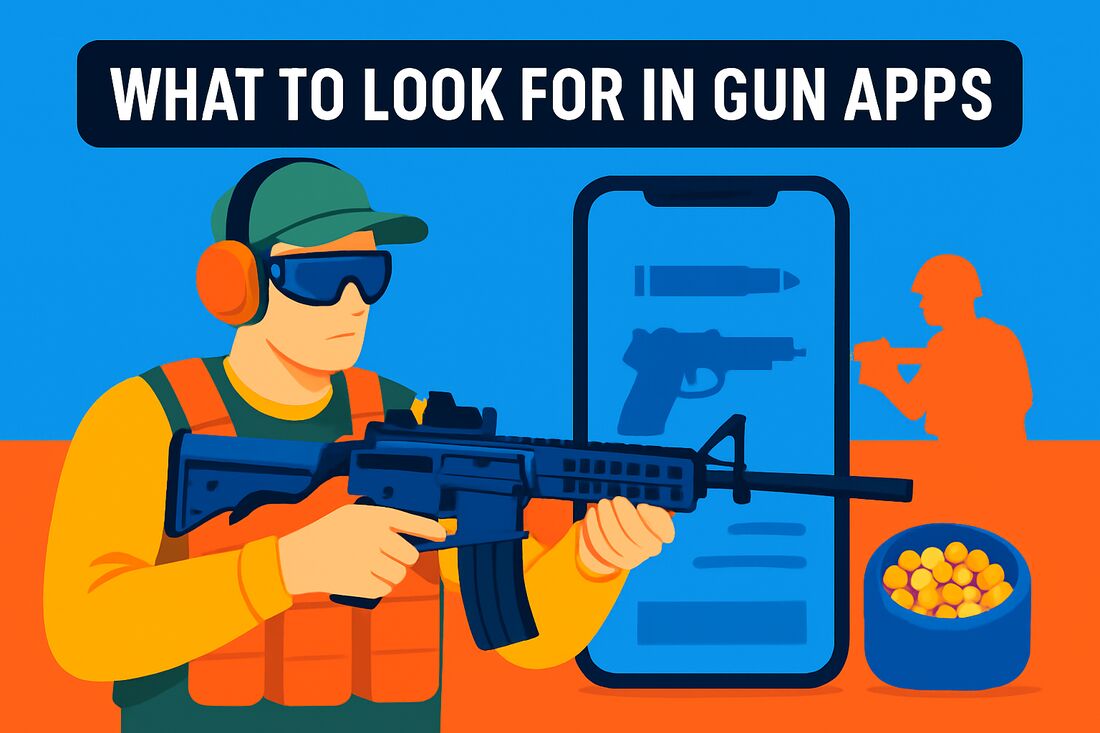
When you’re choosing a gun app, look for qualities that translate real-world training into field prep. Realistic practice, solid firearm data, and practical tracking are your best friends for airsoft prep and dry-fire routines. A great app should feel like a companion, not a distraction.
Ultra-realistic firing mechanics matter because they help you build trigger discipline and sight alignment under pressure. Look for motion blur, smoke, adjustable recoil, and slow-motion playback so you can analyze your follow-through. Being able to tune these aspects lets you simulate different platforms without picking up a real gun.
An extensive library is your quick reference on the range or in the pit between games. They advertise 400+ guns with detailed specs, history, and 3D models, including game-based replicas. The more you can quickly visualize a platform, the faster you can adjust your stance, grip, and aim.
Logistics matter, too. Inventory and logging tools should track make, model, serials, round counts, range sessions, cleaning schedules, and accessories. A solid app saves your data locally and backs it up so you can review wear patterns or prepare for a match. Quick search and export are big wins.
Customization options let you plan your loadout and practice scenarios. Look for gun walls to organize favorites, adjustable recoil and slow-motion settings for different guns, and skin packages to visualize your loadout. These features save time on game day and help you visualize upgrades before you buy them.
Finally, consider ease of use and data integrity. An intuitive interface, solid performance, and reliable backups or cloud syncing matter more than flashy gimmicks. If you train with teammates, choose apps that sync across devices so your drills stay aligned. Beyond that, look for integrated ballistic tools, trajectory charts with weather, mil-dot displays, range reports, ammo databases, drills, and a gun-builder to plan upgrades.
App Features to Consider
When you’re evaluating gun apps for iPhone, you want features that translate quickly from screen to field. A solid ballistic calculator with trajectory charts and weather integration gives you honest dope cards for planning shots. The ability to input custom loads—BB weight, hop-up settings, gas type—and to see how that changes the trajectory is a huge time-saver. Mil-dot displays help you translate holds from sight picture to real-life distances, and range reports give you a repeatable baseline for practice.
Shooting range simulations are where the rubber meets the road. Look for built-in ranges, tilt-to-fire controls, convincing sound effects, and magnification that lets you prototype AEGs or gas guns without risking misfires on the field. The more realistic the experience, the better your trigger control and sight alignment will translate when you switch to live sessions.
An ammo and handload database isn’t just for real calibers. Component logging, batch notes, and performance data help you replicate successful setups in airsoft by tracking BB weight, batch numbers, and hop-up timings. This lets you optimize consistency across sessions and dial in your accuracy. Being able to compare results side by side makes spotting what actually improves groupings much quicker.
Range training tools and drills are where you turn data into discipline. Look for session logging, structured drills, and the ability to track environmental factors like wind and mirage. Those details can swing hits at range, so saving them in a drill lets you chase true consistency across practice and games.
Gun builder and inspection modes let you plan upgrades before you touch the gun. Assemble virtual guns, save configurations to racks, and zoom for detailed views before you commit to parts. This is invaluable for maintenance planning, troubleshooting, and ensuring your upgrade path actually improves on-field performance.
What People Ask Most
What are the best gun apps for iPhone to help with shooting practice?
Several apps support shooting practice, including iGun Pro for immersive simulation, Ballistic AE for detailed ballistic planning, and iSnipe for precision corrections. Choose based on whether you want realistic firing, data-driven analysis, or range-oriented training.
Are there gun safety apps for iPhone?
Yes—there are iPhone apps focused on gun safety and handling, alongside general training apps. When selecting, prioritize apps that emphasize safe handling practices and responsible use.
Which iPhone apps are best for firearms training?
The highlighted options include iGun Pro for immersive practice, Ballistic AE for advanced ballistics, Gun Disassembly 2 for disassembly training, and iSnipe for precision corrections. Your best pick depends on whether you want simulation, data analysis, or technical training.
What iPhone apps are recommended for beginners learning about firearms?
Look for apps that are easy to use and offer basic learning content. A broad library and guided drills can help new users become familiar with concepts and safe handling.
Can you use an iPhone for range training with apps?
Yes. Some apps provide shooting range simulations and range-training tools to support practice and range preparation. They are intended to complement real-world training rather than replace it.
What features should I look for in a gun training app for iPhone?
Look for realistic firing mechanics and motion effects, an extensive firearm library, robust inventory and logging capabilities, and customization options. Also value ease of use and reliable backups for syncing data and practice notes.
Are there educational firearms apps available for iPhone?
Yes. The app lineup includes educational options such as Gun Disassembly 2, which teaches disassembly and reassembly, among other training-focused resources. These apps support learning and safe handling for beginners and experienced users alike.
Conclusion for Best Gun Apps for iPhone
Choosing the right gun app starts with your goals. A well-rounded choice maps your needs to distinct focus areas: immersive simulation for practice and entertainment; detailed inventory and maintenance tracking; advanced ballistic calculations and range reporting; hands-on disassembly training; and precision, long-range corrections.
Let the ‘What to look for’ and ‘App features to consider’ guidance steer your choice by skill level, goals, and device compatibility. This approach helps you balance realism with practical prep.
You don’t need every tool. Choose the app whose focus best matches your current aims and training style.
If you want to level up your shooting practice, continue exploring more articles on the site for practical tips and training ideas. Have thoughts or questions? Leave a comment below; we usually reply within a few hours.